
This is an old revision of the document!
Require Carrier Pay on All Loads
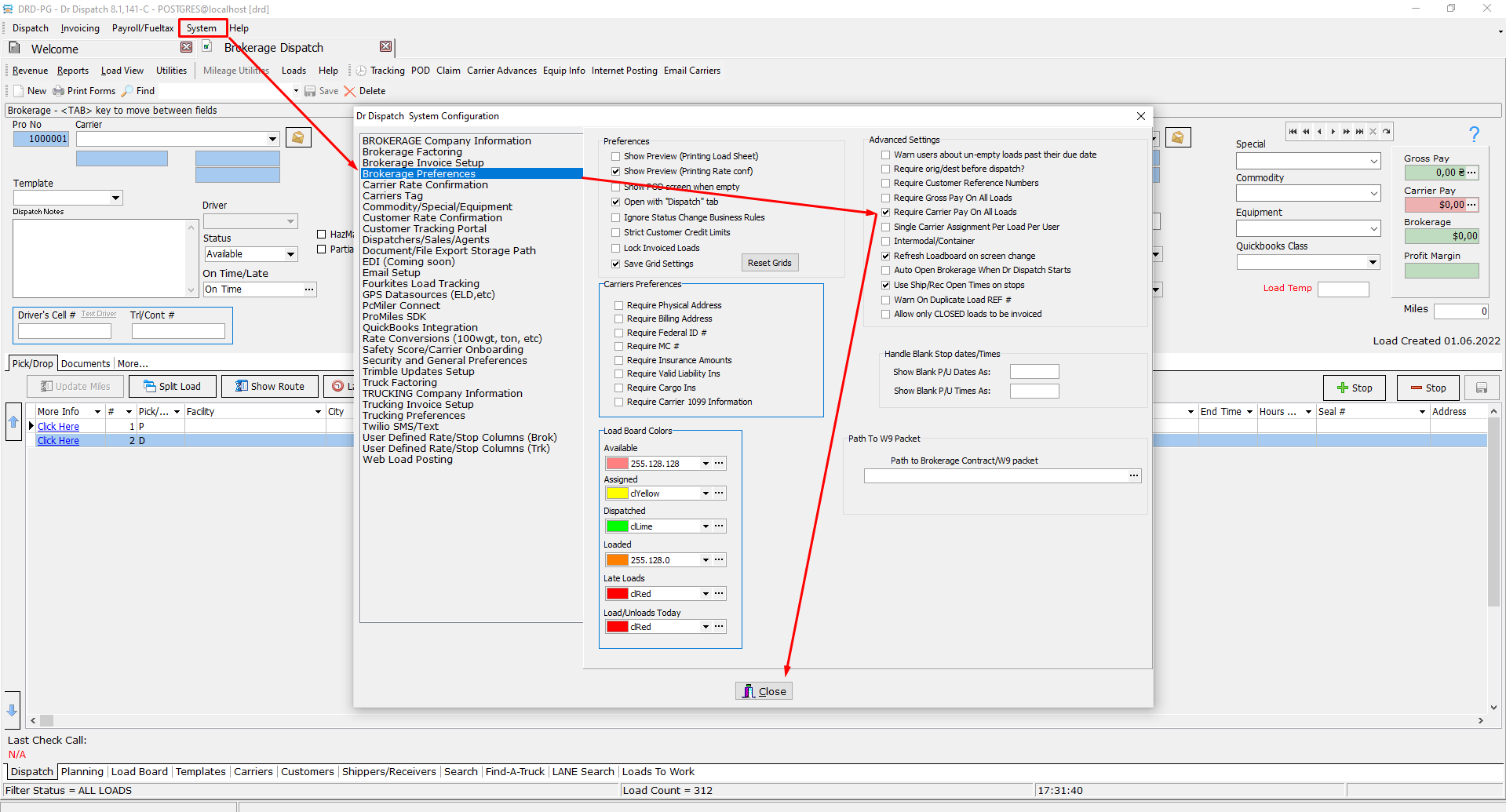
Introduction: The user can put a setting in Brokerage Preferences to Require Carrier Pay on All Loads.
Action: Go to Brokerage Dispatch –> System –> Settings –> Brokerage Preferences –> Require Carrier Pay –> Close.
How it should look like:
Expected Result:
Action: Go to Brokerage Dispatch –> Choose Carrier.
User will see that if Carrier Pay = 0, then the program will show a message, that offers her\him to set up the amount.
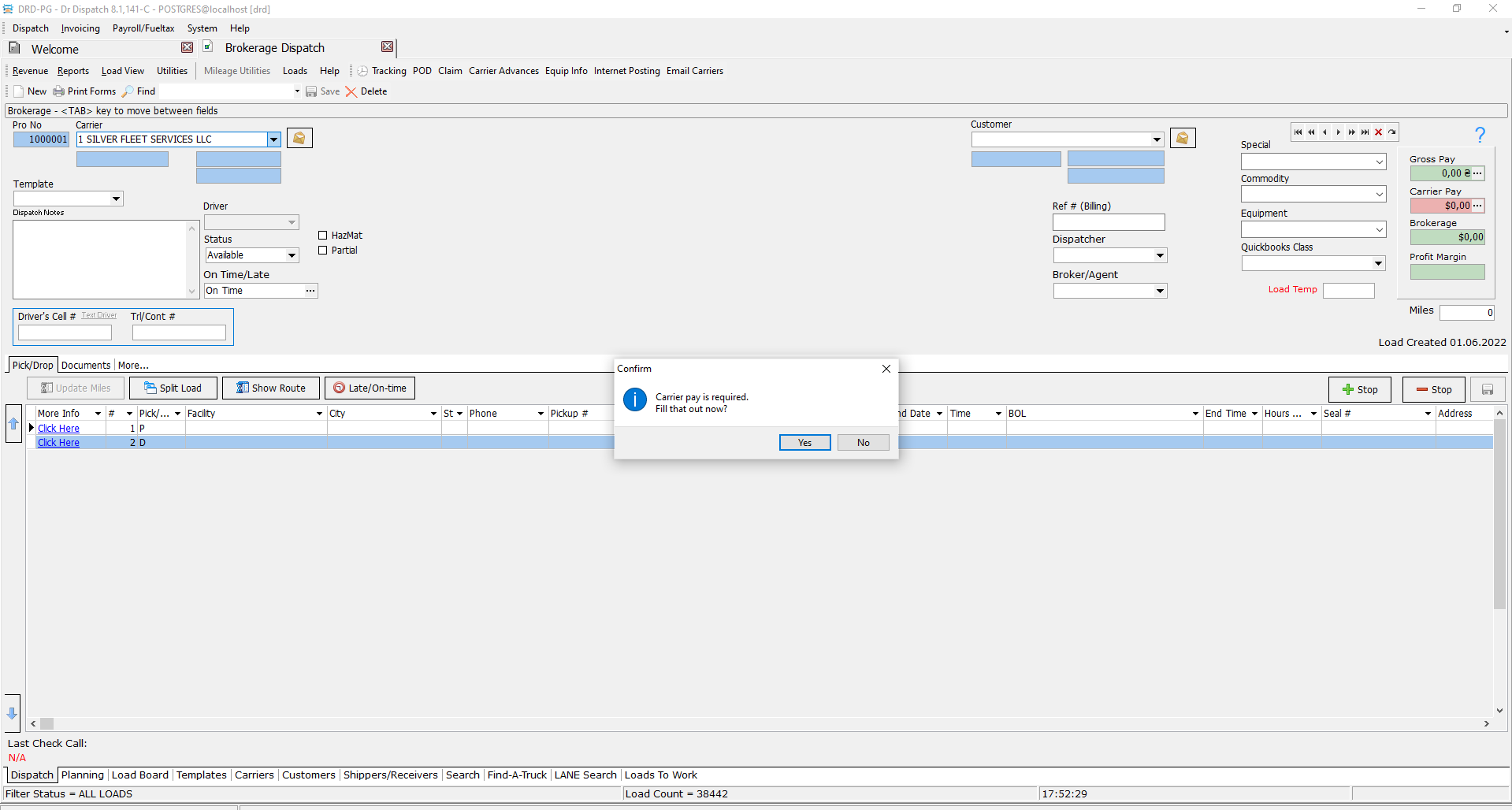
If the user hits No, then the program won't allow him\her to assign the Carrier. If the user hits Yes, then he\she will receive the set form.
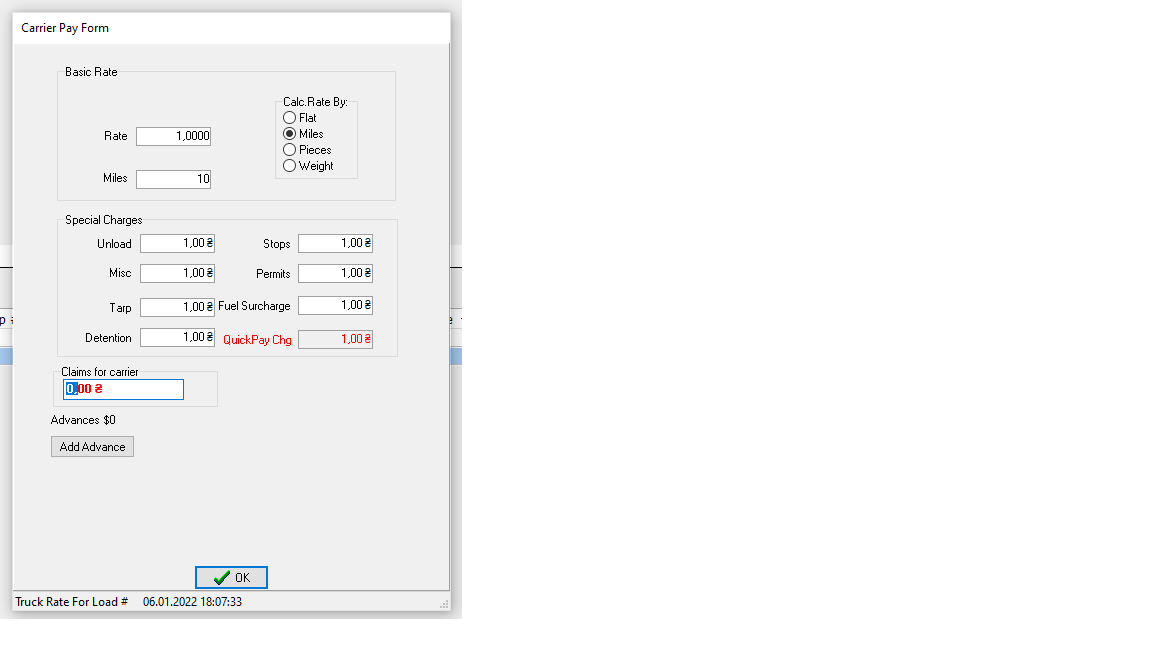
After the user sets and hits OK, he\she will see that Carrier Pay will be set to the desired amount and won't be equal to 0.


