Export invoices to QuickBook Desktop
Actions:
You need to create 4 documents of brokerage loads.
Then go to the Brokerage Accounts section, find the lines with the same numbers as the newly created documents and change the first three documents in order. They need to fill in the Vendor Inv# field.
You need to fill it in so that for one document the field length is less than 19 minus the Pro# length, and for two documents this length should be greater
For example, if Pro# = 100001, then 1. Vendor Inv# = 1111_2222_12 and 2. Vendor Inv# = 1111_2222_1234
Expected
There should be 4 new documents in the list of invoices, 3 of them have the Vendor Inv# field filled in. Moreover, in one document, the length of this field along with Pro# must be less than 19, and in two documents more

Action: Mark the selected documents and click Process Invoice(s)
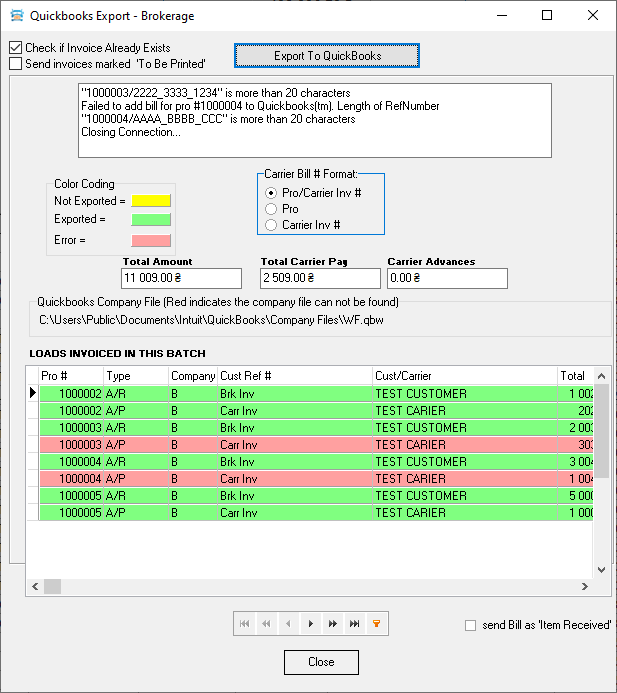
Expection: A “Quickbooks Export - Brokerage” window will appear
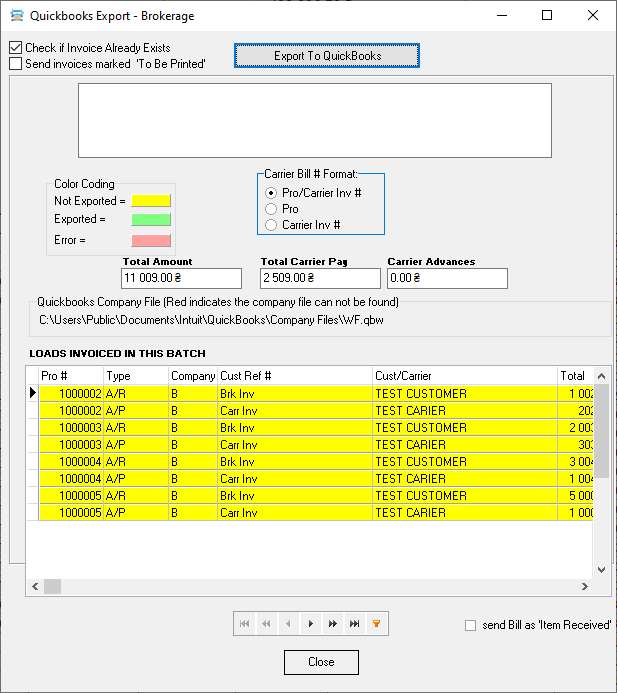
Action: Press “Export To QuickBooks” button.
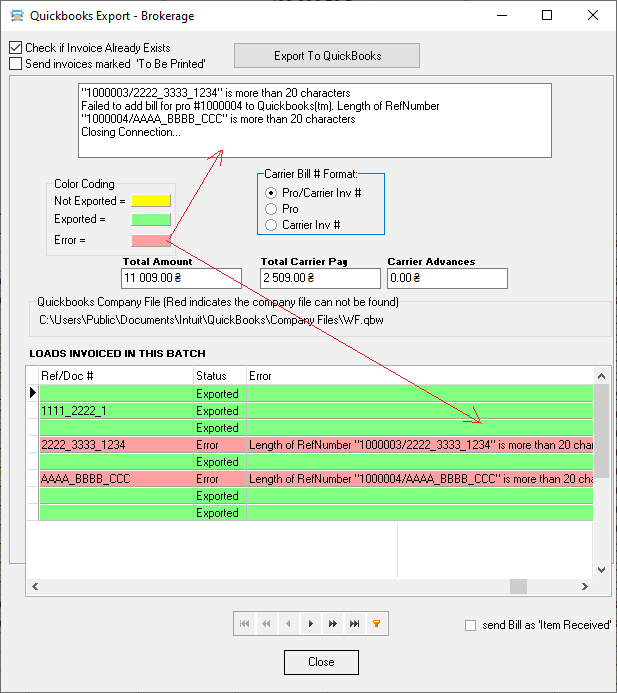
Expection: The document from each line must be checked and if no errors are found, exported. Lines with exported documents should be marked in green. Lines of documents with errors should be marked in red.
If there are documents with errors, then at the end of the process a window with a list of errors should pop up.
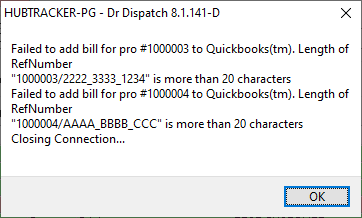 When you close this window, error messages will be duplicated in the exsport window in the message bar and directly in each grid line next to the document containing the error.