
tc-7
Lock Results option
Introduction: In the program user can Lock the Results.
Action: Go to Brokerage Dispatch (tab) → Search (down tab) → Load Search (up left tab) → Carrier (dropdown)→ Lock Dispatch Results (checkbox) → Search (button)
How it should look like:
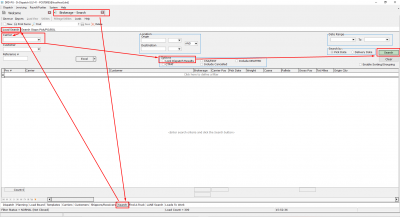
Expected Result:
1. When the User clicks Search, he\she will see filtered lines by the chosen Carrier.
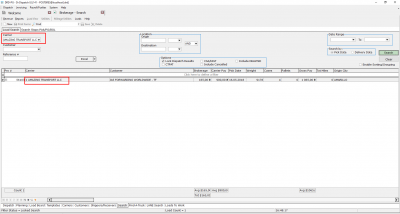
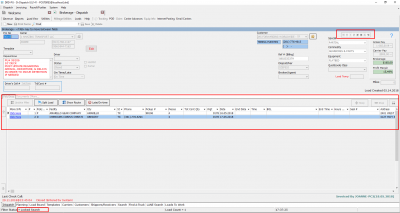
2. When the User goes to the Dispatch tab, he\she will see that the load from the filtered list is active, and with the navigator buttons, the user can scroll through only these filtered records. At the bottom user will see the Search Locked.
tc-7.txt · Last modified: 2022/12/13 21:54 (external edit)
Except where otherwise noted, content on this wiki is licensed under the following license: CC Attribution-Share Alike 4.0 International


