
tc-28
Action:
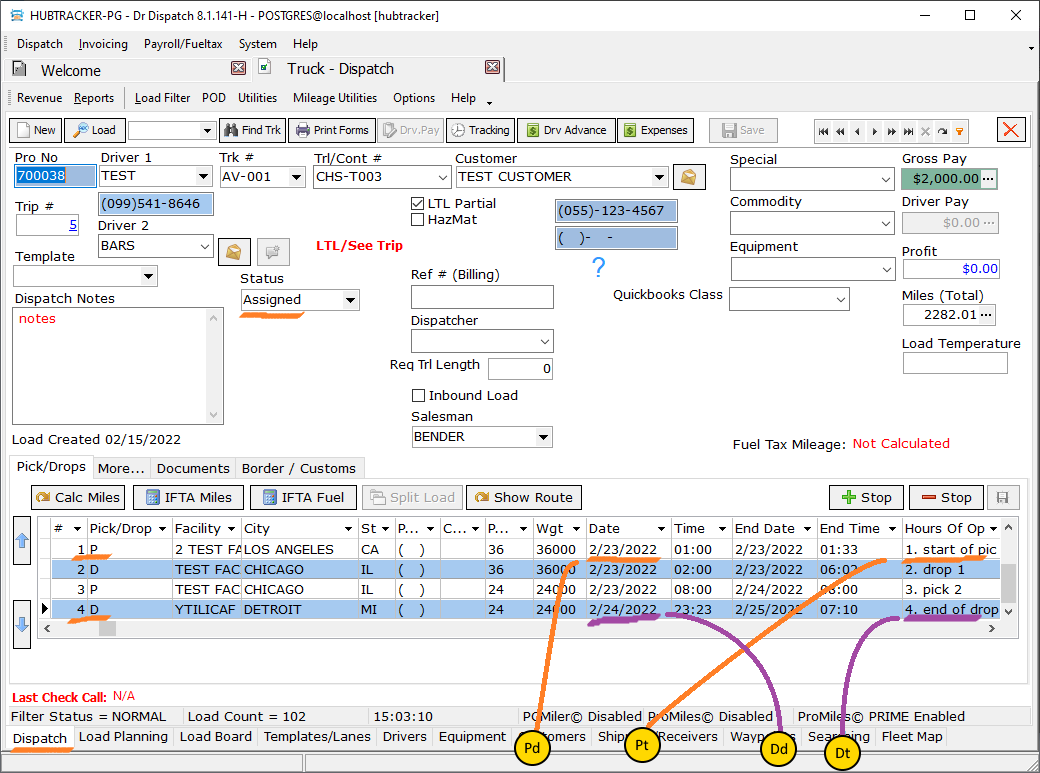
- Create Truck Load
- Be sure to leave the status Assigned
- To the stops created by default, you need to add a few more
- In the stops, it is obligatory to fill in the dates and the “Hours of op” field.
Expected:
Action:
Switch to the Load Board tab, and in it to a sub-tab
Check out how Trucks Planned
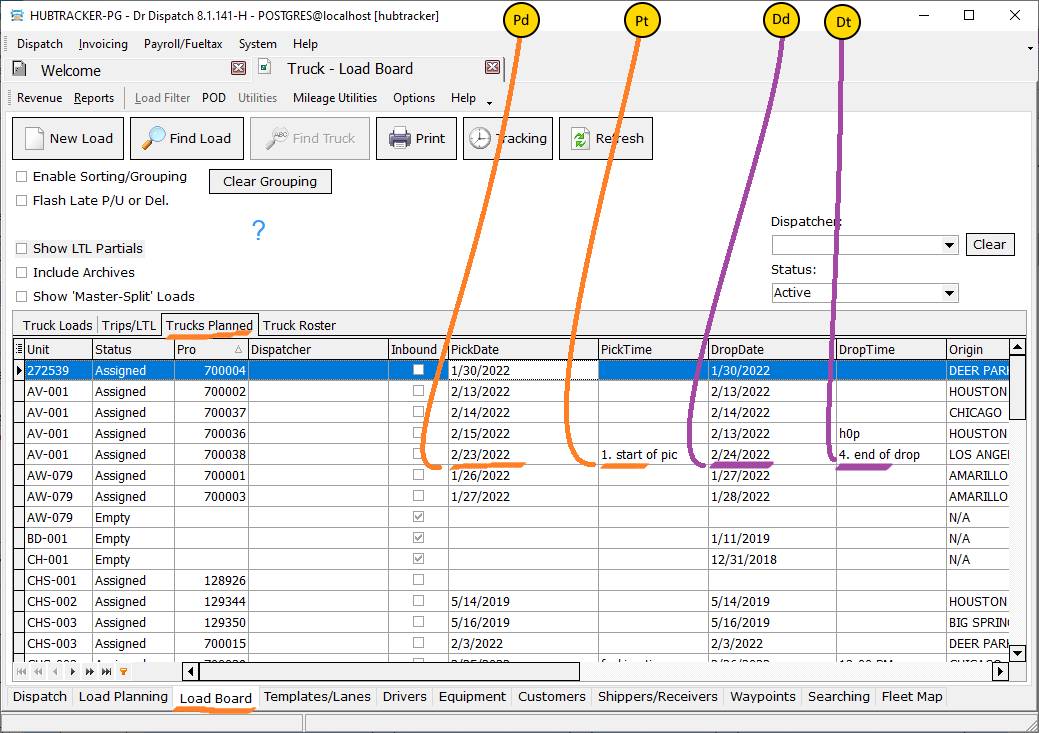 Find the line with the newly created document.
Check:
- the “PickDate” field should contain the date value from the first stop of the Pick type,
- in the “PickTime” field the value from the “Hours of Op” field of the same stop,
- the “DropDate” field should contain the date value from the last stop with the Drop type
- and accordingly in the field “DropTime” the value from the field “Hours of Op” of the same stop.
tc-28.txt · Last modified: 2026/01/26 11:40 by 216.73.216.128
Except where otherwise noted, content on this wiki is licensed under the following license: CC Attribution-Share Alike 4.0 International


