
old revision restored (2025/08/29 23:55)
tc-18
TRK Dispatch: auto-calc payroll
First of all, you need to check and, if necessary, correct the settings.
Action: Open menu System / Setting
Expectation: The Dr Dispatch System Configuration window will open.
Action: Select line “Trucking Preferences”
Expectation: 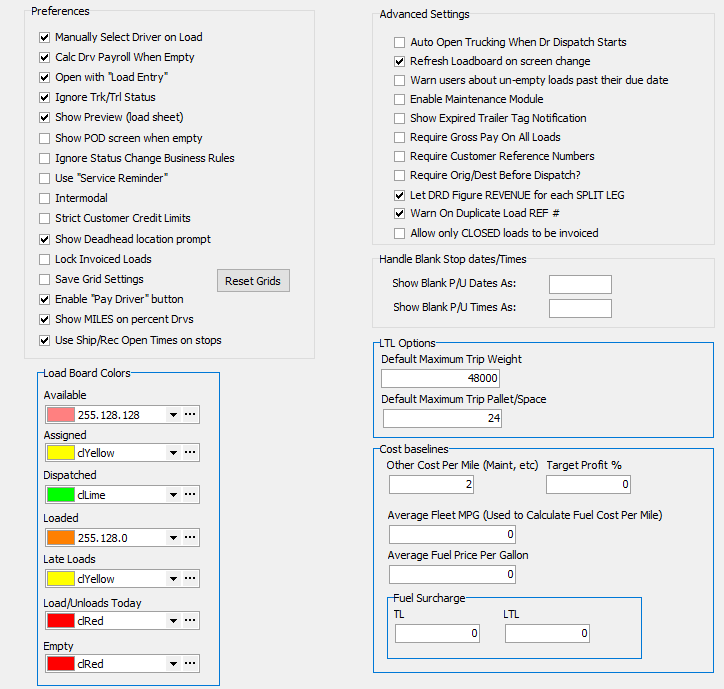
Action: You need to create a download in the same way as in TC11, but skip filling out the gross pay and driver pay.
Expectation: Completed document with the status “Assigned”, but with empty fields “Gross Pay” and “Driver Pay”
Action: Change document status to “Dispatched”, then to “Empty”.
Expectation: The message “A payroll record has been created! Do you want to DELETE that record and calculate a new one?” should appear!
tc-18.txt · Last modified: 2025/12/13 10:11 by 216.73.216.58
Except where otherwise noted, content on this wiki is licensed under the following license: CC Attribution-Share Alike 4.0 International


