
tc-15
This is an old revision of the document!
Create Truck Load
Action:
Option 1: Click Truck Dispatch in the Trucking section of the Welcome page 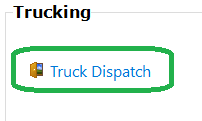
Option 2: Menu Dispatch → Trucking 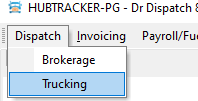
Expected: The Truck Dispatch tab opens with a Dispatch sub-tab and last saved load.
Action: To create a new load press then “New” button.
Expected: In the Pro No field the new calculated value will be substituted. The minimum possible set of 2 stops will be created in the grid
Action: After that, you need to fill in the fields Driver 1, Customer
Gross pay (similar to “gross pay” from Brokerage loads)
Driver pay
In the grid of stops, you need to fill in Facility, City
tc-15.1748079582.txt.gz · Last modified: 2025/05/24 12:39 by 20.171.207.138
Except where otherwise noted, content on this wiki is licensed under the following license: CC Attribution-Share Alike 4.0 International


