
tc-6
This is an old revision of the document!
Customer Statements Showing
Introduction: The user is able to preview\print\file customer statements in the program.
Action: Go to Brokerage Invoicing → Reports → Customer Statements → Choose Customer → Statement → Report Destination → Preview\Print\File → OK
How is should look like:
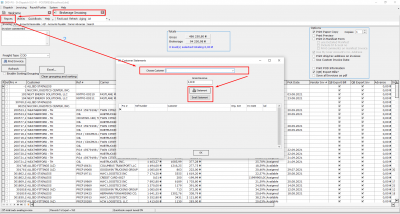
Expected Result:
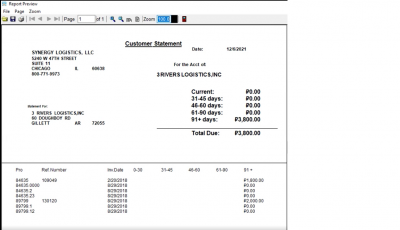
The user sees opened Preview\File or is able to Print the Report.
How is should look like:
tc-6.1755079940.txt.gz · Last modified: 2025/08/13 13:12 by 20.171.207.171
Except where otherwise noted, content on this wiki is licensed under the following license: CC Attribution-Share Alike 4.0 International


