This is an old revision of the document!
TRK Dispatch: Split loads
A load document not yet split has active driver fields (1) and has blanks space in (2) and (3).
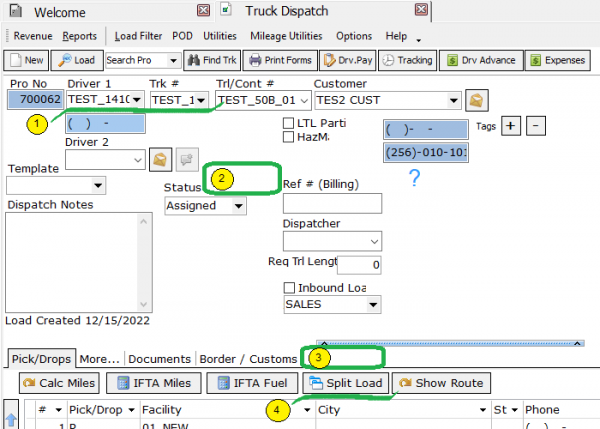 To split the load, you can use any of the following buttons:
- button“Split load” (4) from previous image,
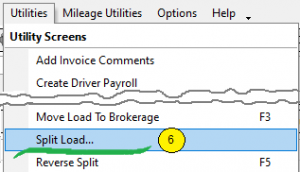
- button in the Utilites menu → “Split Load” (6)
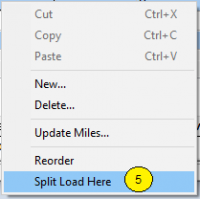
- button from the context menu “Share the download here” (5)
 All these buttons should lead to the same result
Note: before pressing any of these buttons, in the grid with stops you must select the one stop that will be the last in the first subordinate document . It cannot be either the first or the last stop of the main document. How to choose the first or last stop - the system should show a warning about the inadmissibility of such a choice and not allow splitting the document.
during spliting, a window should appear for entering an additional stop of the waypt type, in which the physical transfer of the baton from one driver to another should take place.
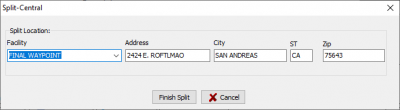 This stop will appear last in the first child document and first in the second.
After splitted, the main document acquires the following features:

- fields with driver data are shaded so that they cannot be changed (7)
- “Split Load” appears (8)
- an additional tab “Split Load” appears (9)
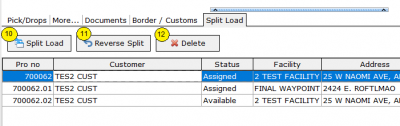
You can further manage the created documents on the “Load Split” tab. It appears both in the main and in subordinate documents, and in each of them this tab contains a list of all logically combined documents: main and subordinate and control buttons (10), (11), (12)